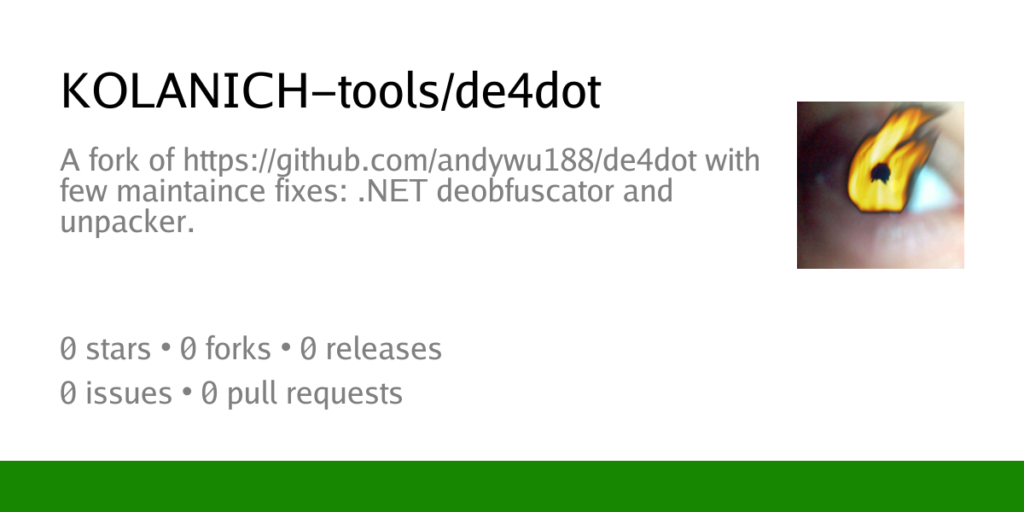
Malware analysis has become one of the most important areas of cybersecurity as cybercriminals continue to develop increasingly sophisticated threats. Modern malware is rarely distributed in a simple and readable form. Instead, attackers often use obfuscation, encryption, packing techniques, and anti-analysis mechanisms to hide malicious code and make investigation more difficult. Security researchers, malware analysts, incident responders, and digital forensics professionals therefore rely on specialized tools to understand how malicious software works. Among the many tools available for analyzing .NET-based malware, de4dot has earned a strong reputation due to its ability to remove or simplify obfuscation applied to managed assemblies. This leads many researchers to ask an important question: Is de4dot useful for malware analysis?
Understanding .NET Malware
Before evaluating the usefulness of de4dot, it is important to understand why .NET malware has become so common. The .NET platform provides developers with a powerful and flexible environment for building software. It offers extensive libraries, simplified development workflows, and cross-platform capabilities. Unfortunately, the same advantages that make .NET attractive to legitimate developers also appeal to malware authors.
Creating malware in .NET can be faster and easier than developing equivalent functionality in native languages. Attackers can quickly build remote access trojans, information stealers, ransomware components, downloaders, and credential theft tools using familiar development frameworks. Since .NET assemblies retain rich metadata and are relatively easy to decompile, attackers frequently apply obfuscation to hide their intentions.
This widespread use of obfuscation creates a need for tools like de4dot that can help analysts restore readability.
The Challenge of Obfuscated Malware
One of the primary goals of malware obfuscation is to slow down analysis. If a researcher cannot easily understand how a malicious program operates, identifying its capabilities becomes significantly more difficult.
Obfuscation techniques may rename classes and methods, encrypt strings, modify control flow, hide resources, insert meaningless code, or alter metadata structures. These changes can transform readable code into a confusing collection of symbols and instructions that are difficult to interpret.
Although the malware continues to function normally, understanding its behavior becomes a time-consuming task. Automated deobfuscation tools help bridge this gap by removing many of the obstacles introduced by obfuscators.
What de4dot Does
de4dot is a .NET deobfuscation utility designed to identify and reverse protections applied by many common obfuscators. Rather than analyzing malware behavior directly, it focuses on improving code readability.
The tool examines a .NET assembly and searches for patterns associated with known protection systems. When it recognizes a supported obfuscator, it can remove or simplify certain protections, making the assembly easier to inspect using decompilers and analysis tools.
By improving visibility into the malware’s internal structure, de4dot allows analysts to spend less time fighting obfuscation and more time understanding malicious behavior.
Why Malware Authors Use Obfuscation
Malware developers understand that security researchers rely heavily on code inspection. To make this process more difficult, they often employ obfuscation techniques that hide functionality and delay detection.
Obfuscation can conceal command-and-control addresses, credential theft routines, encryption algorithms, persistence mechanisms, and other critical components. In some cases, malware authors intentionally use commercial obfuscation products because they know analysts will face additional challenges when examining the code.
As a result, many malware samples encountered in the wild contain protections that de4dot was specifically designed to address.
Simplifying Reverse Engineering
One of the most significant benefits of de4dot in malware analysis is its ability to simplify reverse engineering. Reverse engineering often begins by loading a suspicious assembly into a decompiler. If the malware is heavily obfuscated, the resulting code may be nearly impossible to follow.
After processing the assembly with de4dot, many of these obstacles can be reduced or removed. Class structures may become clearer, metadata issues may be repaired, and certain protection layers may disappear entirely.
This simplification allows analysts to focus on understanding functionality rather than fighting through intentionally confusing code.
Identifying Malware Capabilities
Understanding what malware does is one of the primary objectives of analysis. Researchers need to determine whether a sample steals information, downloads additional payloads, modifies system settings, encrypts files, or communicates with remote servers.
When obfuscation hides important functions, identifying these capabilities becomes more difficult. de4dot can help reveal code paths that would otherwise remain buried beneath protection layers.
Once readability improves, analysts can more easily locate suspicious functionality and evaluate the malware’s purpose.
Assisting Incident Response Teams
Incident response teams often operate under significant time pressure. When a security incident occurs, investigators need to understand threats quickly so they can contain damage and prevent further compromise.
If malware is written in .NET and protected using a supported obfuscator, de4dot can accelerate the investigation process. By reducing the complexity of the assembly, the tool allows responders to identify indicators of compromise and understand attacker behavior more rapidly.
This speed can be crucial during active security incidents.
Supporting Digital Forensics Investigations
Digital forensics professionals frequently encounter suspicious executables during investigations. Determining whether these files are malicious often requires detailed analysis.
de4dot assists by making protected assemblies easier to inspect. Rather than spending hours manually removing obfuscation, investigators can use automated deobfuscation techniques to reveal hidden functionality more efficiently.
This capability helps forensic teams build a clearer picture of events during incident reconstruction.
Revealing Hidden Strings
Many malware samples rely heavily on string encryption. Important information such as URLs, IP addresses, registry paths, commands, and file names may be stored in encrypted form.
While de4dot is not a universal solution for string encryption, it can assist with certain obfuscation systems that use known string protection methods. By simplifying these protections, the tool may help reveal valuable intelligence embedded within the malware.
Visible strings often provide immediate clues about malware behavior and infrastructure.
Understanding Command-and-Control Communications
One of the most important aspects of malware analysis involves understanding how malicious software communicates with attackers. Command-and-control infrastructure allows malware to receive instructions, exfiltrate data, and maintain persistence.
Obfuscation frequently hides communication routines to prevent easy detection. When de4dot successfully removes relevant protections, analysts can more easily identify networking code and understand how the malware interacts with remote systems.
This information is valuable for both detection and mitigation efforts.
Malware Family Classification
Security researchers often classify malware into families based on shared characteristics. Obfuscation can make this process difficult because it hides similarities between related samples.
By reducing obfuscation, de4dot can expose patterns that help analysts identify connections between malware variants. Similar code structures, communication routines, and operational logic become easier to recognize.
Improved visibility contributes to more accurate malware classification and threat intelligence efforts.
Detecting Known Obfuscators
An often-overlooked feature of de4dot is its ability to identify obfuscators without necessarily performing full deobfuscation. During malware analysis, simply knowing which protection system was used can provide useful intelligence.
Certain malware groups consistently rely on particular obfuscators. Detecting these patterns may help researchers link samples to known campaigns or threat actors.
Obfuscator identification can therefore contribute valuable context to an investigation.
Working Alongside Decompilers
de4dot is most effective when used in combination with decompilers such as dnSpy, ILSpy, and similar tools. Decompilers convert Intermediate Language code into human-readable source representations, while de4dot helps remove obstacles that interfere with this process.
Together, these tools create a powerful malware analysis workflow. de4dot simplifies the assembly, and the decompiler presents the resulting code in a format that analysts can study more easily.
This combination is widely used in the cybersecurity community.
Improving Research Efficiency
Malware researchers often analyze large numbers of samples. Manually removing obfuscation from each file would consume enormous amounts of time.
de4dot improves efficiency by automating many repetitive tasks. Instead of spending hours dealing with known obfuscation techniques, analysts can focus on higher-level questions such as functionality, behavior, and threat assessment.
This efficiency becomes particularly important when processing large malware collections.
Limitations of de4dot
Although de4dot is useful, it is not a complete malware analysis solution. The tool was designed specifically for .NET deobfuscation and therefore has limitations.
It cannot analyze native malware written in languages such as C or C++. It does not automatically reveal every hidden behavior. It cannot bypass all anti-analysis mechanisms. It may also struggle with custom obfuscators that do not match known patterns.
Analysts should view de4dot as one component of a larger toolkit rather than a standalone solution.
Challenges with Modern Malware
Modern malware developers continually adapt their techniques. As deobfuscation tools improve, attackers introduce new protections designed to resist automated analysis.
Custom obfuscation systems, runtime code generation, virtualization-based protection, and advanced anti-debugging mechanisms can reduce the effectiveness of tools like de4dot.
Consequently, analysts must often combine automated and manual approaches when dealing with sophisticated threats.
The Importance of Manual Analysis
Even when de4dot successfully removes obfuscation, human expertise remains essential. Understanding malware requires more than simply reading code. Analysts must interpret behavior, evaluate risks, identify persistence mechanisms, and understand attacker objectives.
Automated tools can reveal information, but they cannot replace critical thinking and investigative skills.
The most effective malware analysis workflows combine automation with expert judgment.
Benefits for Threat Intelligence
Threat intelligence teams seek to understand adversaries, infrastructure, tactics, and capabilities. Malware analysis is a major source of intelligence for these efforts.
By helping researchers uncover hidden functionality, de4dot contributes to the collection of valuable threat intelligence data. Analysts can identify communication methods, malware features, operational workflows, and potential indicators of compromise.
This information can then be shared across organizations to improve collective defense.
Educational Value
de4dot is also useful for educational purposes. Students learning malware analysis often encounter protected .NET samples that would be difficult to understand in their original form.
By reducing obfuscation, the tool allows learners to focus on understanding malware behavior rather than spending excessive time dealing with technical barriers. This makes it an excellent learning resource for aspiring security professionals.
Educational use helps build the next generation of malware analysts and reverse engineers.
Best Practices When Using de4dot for Malware Analysis
When analyzing malware, researchers should always preserve original samples and work on copies. Running de4dot on duplicate files ensures that evidence remains intact. Analysts should also document all processing steps and maintain clear records of changes introduced during deobfuscation.
Combining de4dot with sandbox environments, debuggers, network monitoring tools, and decompilers provides a more complete understanding of malware behavior. No single tool can answer every question, so a layered analysis approach remains essential.
Following these best practices helps ensure accurate and reliable results.
Conclusion
de4dot is highly useful for malware analysis, particularly when dealing with obfuscated .NET-based threats. By identifying and removing many common protection techniques, it allows analysts to restore readability, reveal hidden functionality, and understand malicious behavior more efficiently. The tool can accelerate reverse engineering, support incident response efforts, assist digital forensics investigations, and contribute valuable threat intelligence. While it is not a complete solution and cannot defeat every protection mechanism, its ability to simplify .NET malware makes it an important component of many analysis workflows. When combined with decompilers, debugging tools, sandbox environments, and expert analysis, de4dot becomes a powerful resource for understanding and investigating modern malware threats.